 Fire
Fire Catch every dispatch tone
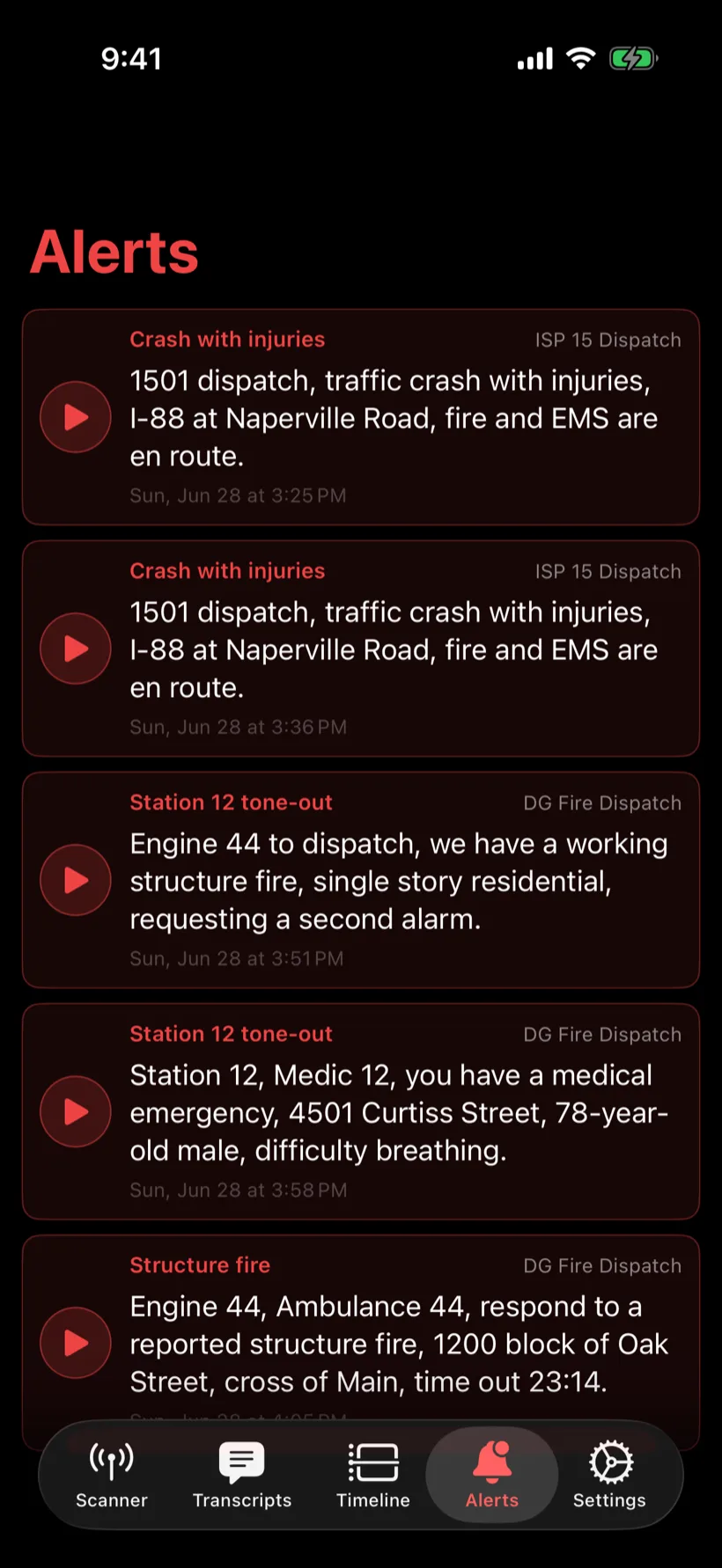
Tone-out detection flags Quick Call II tones and lets you assign a unique identifier to each pattern. Specify the tones you care about and get instant push alerts to your phone.

Built for public safety · works for every channel
ToneOut transcribes every transmission as it airs — search your entire radio history by keyword, and get an instant alert the moment a word you care about is spoken. Live audio, remote control and a native iOS app included.
The server runs entirely on your own network — recordings, transcripts and AI stay in your control.
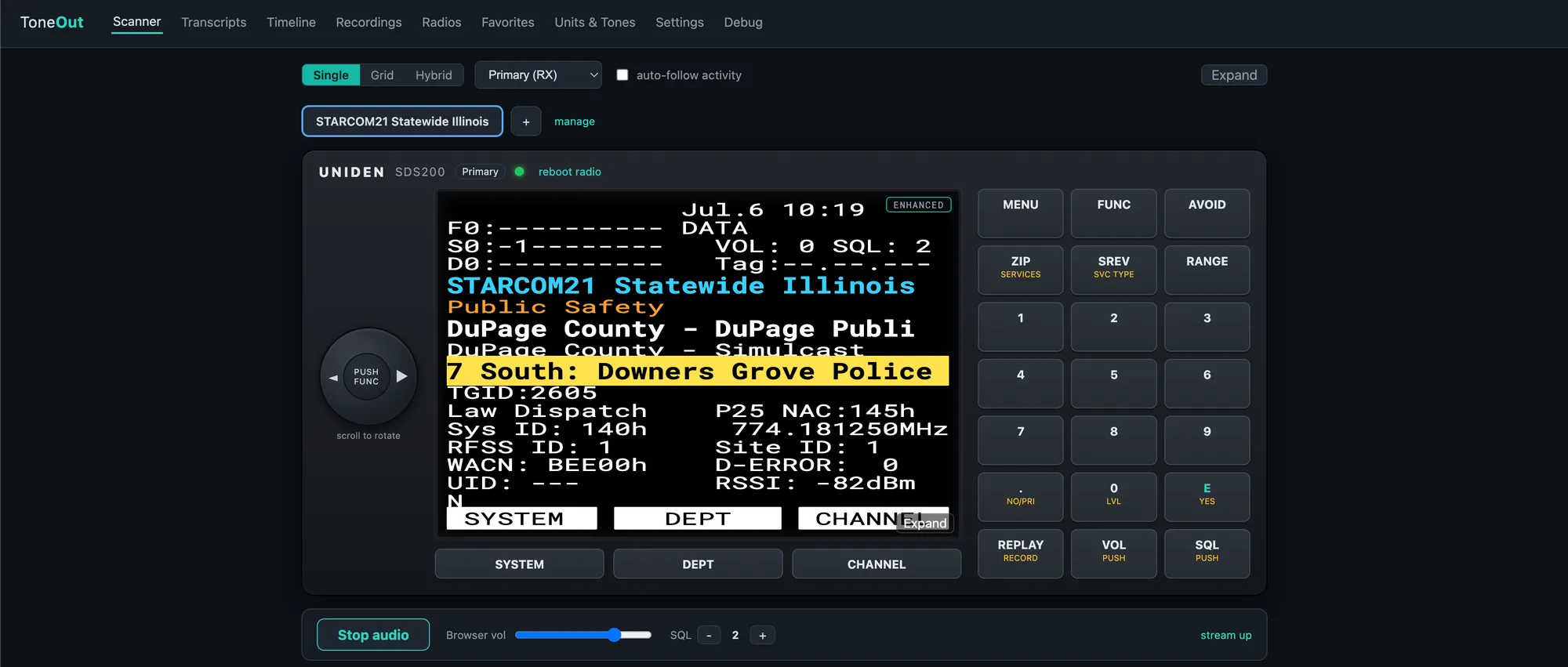
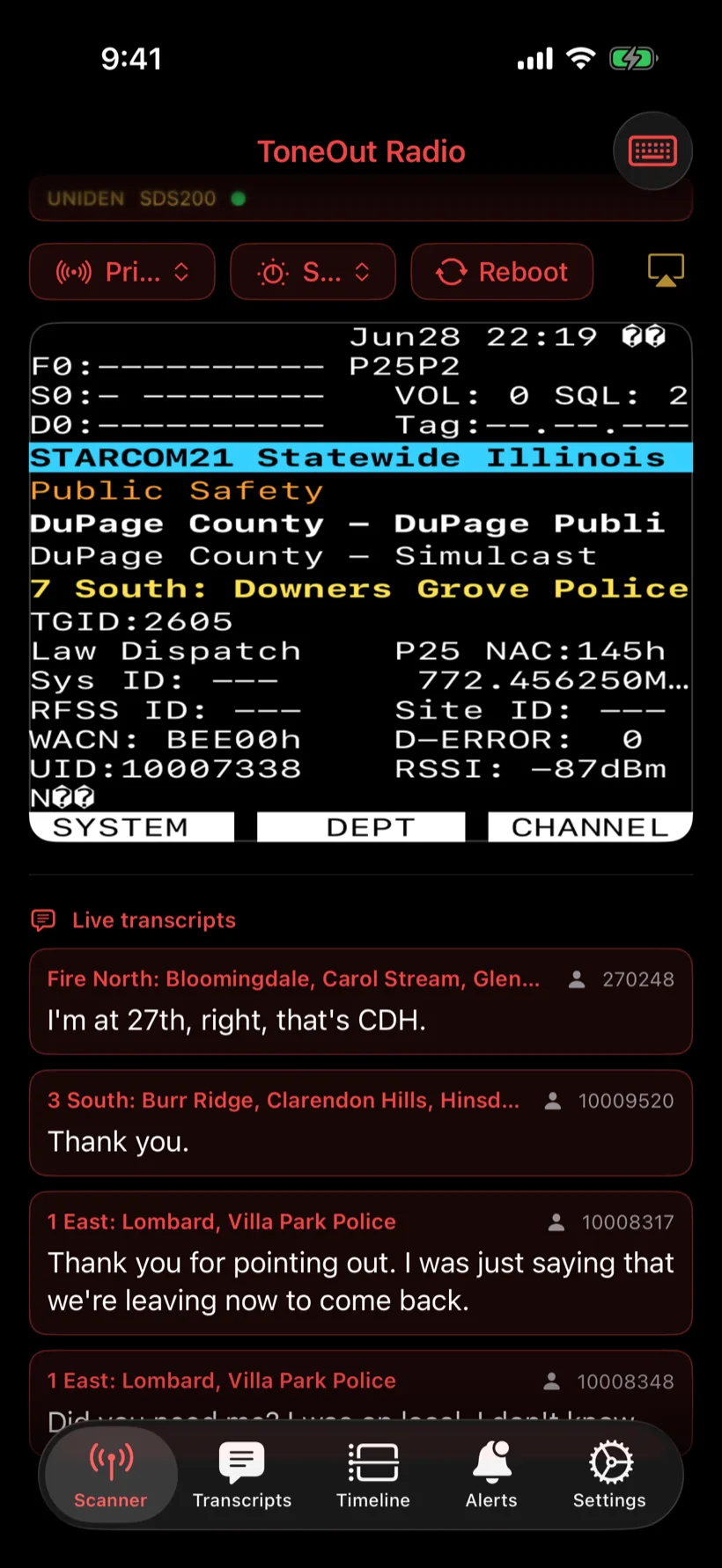
One server, every screen — the same live scanner in your browser and on your iPhone.
Fire Tone-out detection flags Quick Call II tones and lets you assign a unique identifier to each pattern. Specify the tones you care about and get instant push alerts to your phone.
 Law enforcement
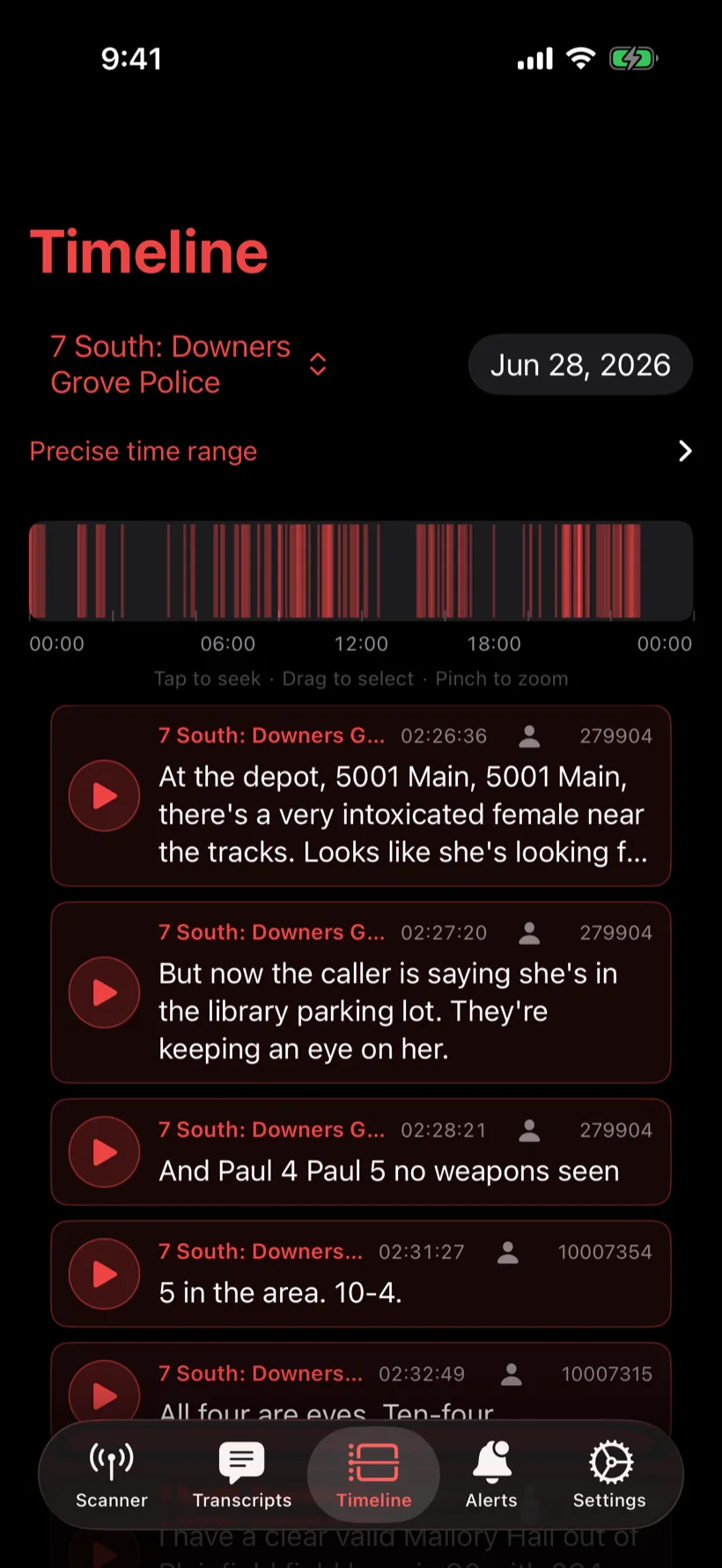
 Find incidents and calls for service by keyword, jump straight to them on the timeline, and listen to the rest of the call. Miss something? Scrub back in time for a more complete picture than ever before.
 EMS
EMS Build rules on spoken keywords across every channel, or confined to a single channel of interest — with active hours, cooldowns and more. Listen for specific incident types, or for places like a street or building name.
Public safety is where ToneOut shines — but it works for any radio traffic you monitor: aviation, railroad, marine, NOAA weather, utilities and more.
See it in action
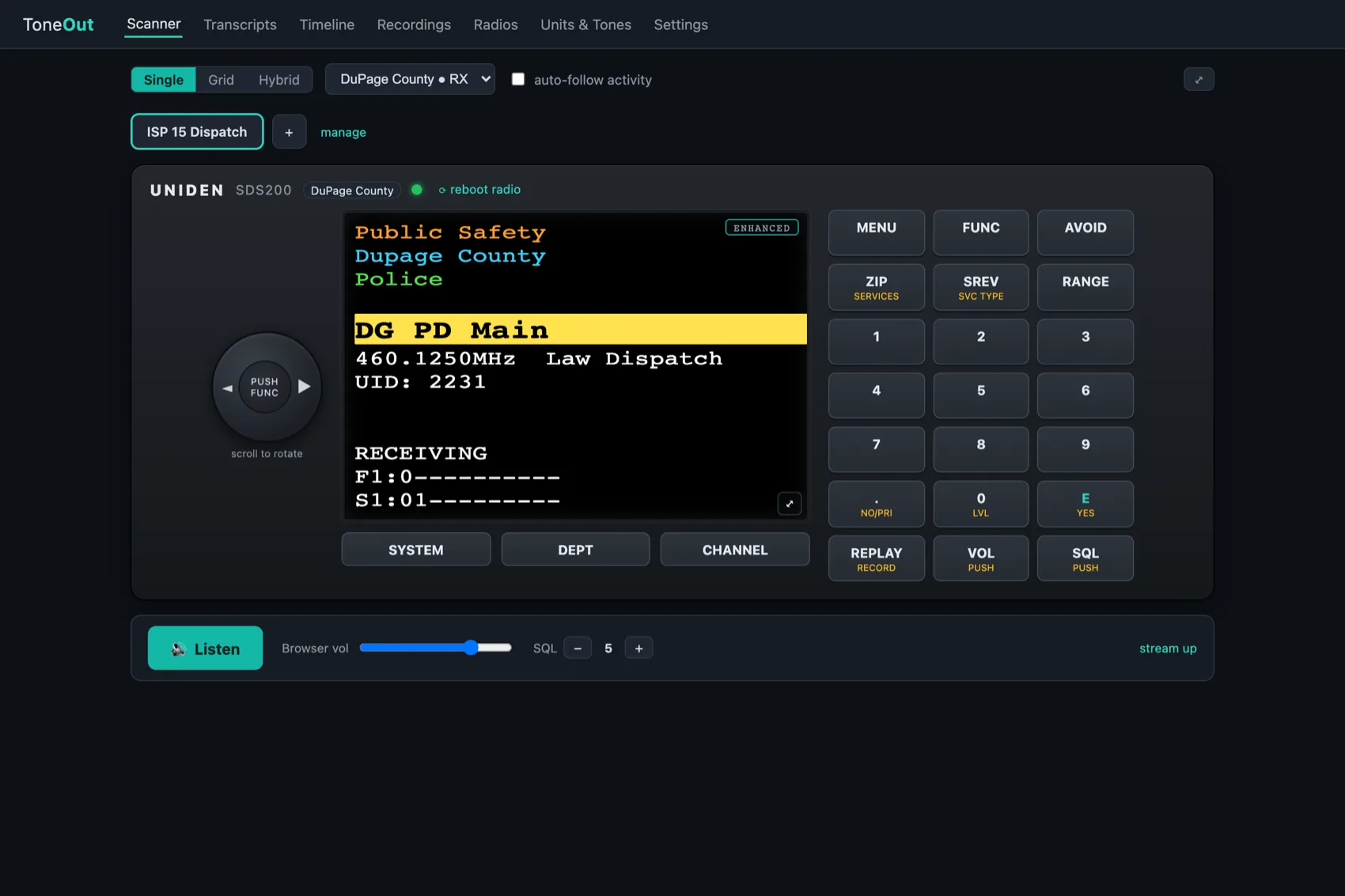
Control every aspect of your radio — view the live display, work the keypad and selectors, and listen to live audio — all from your web browser.
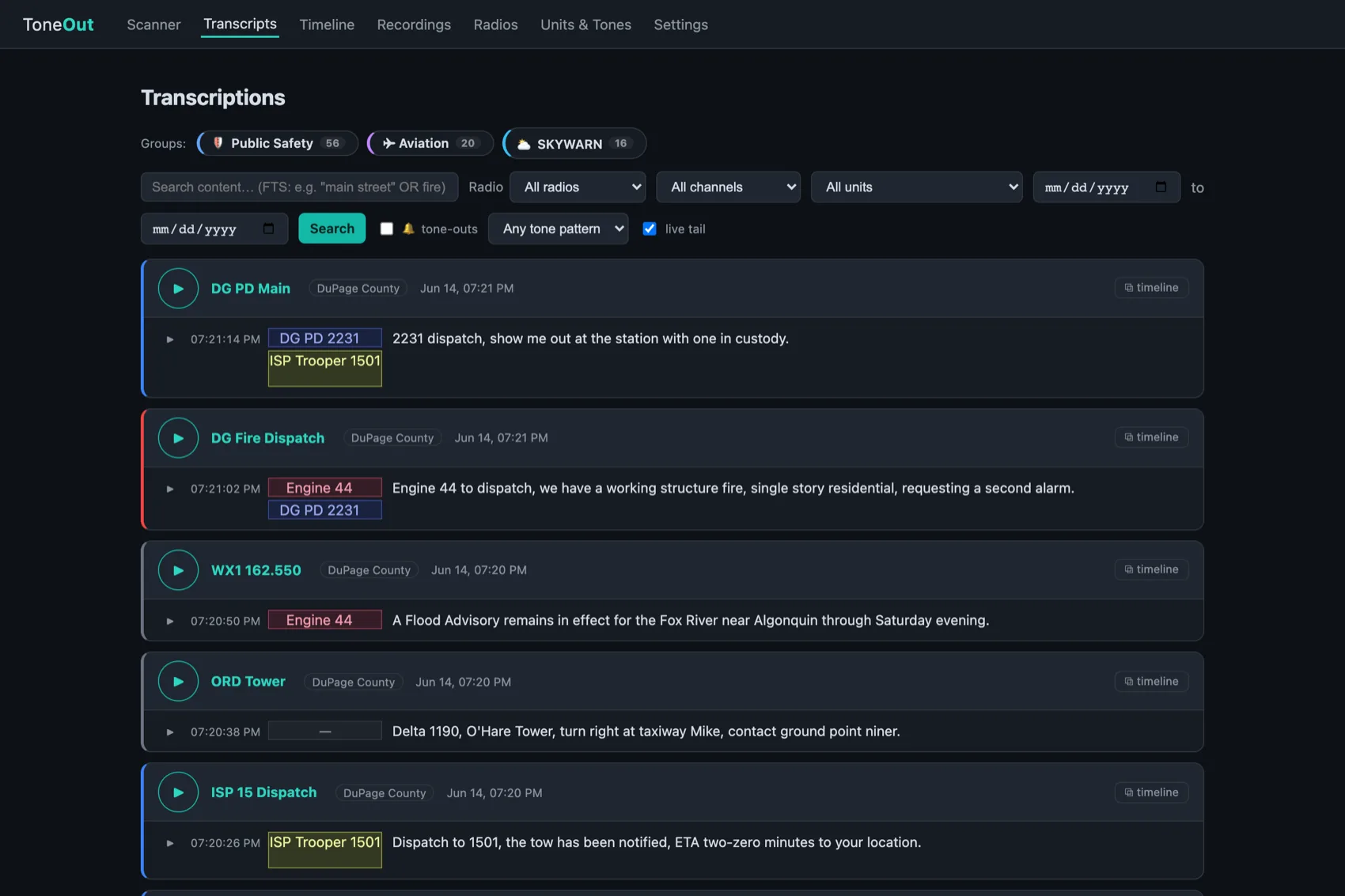
For the first time, you can be notified the moment a keyword, street name or unit is spoken. Limit alerts to the specific tone-outs you care about — skip the fire alarms, but never miss a confirmed structure fire.
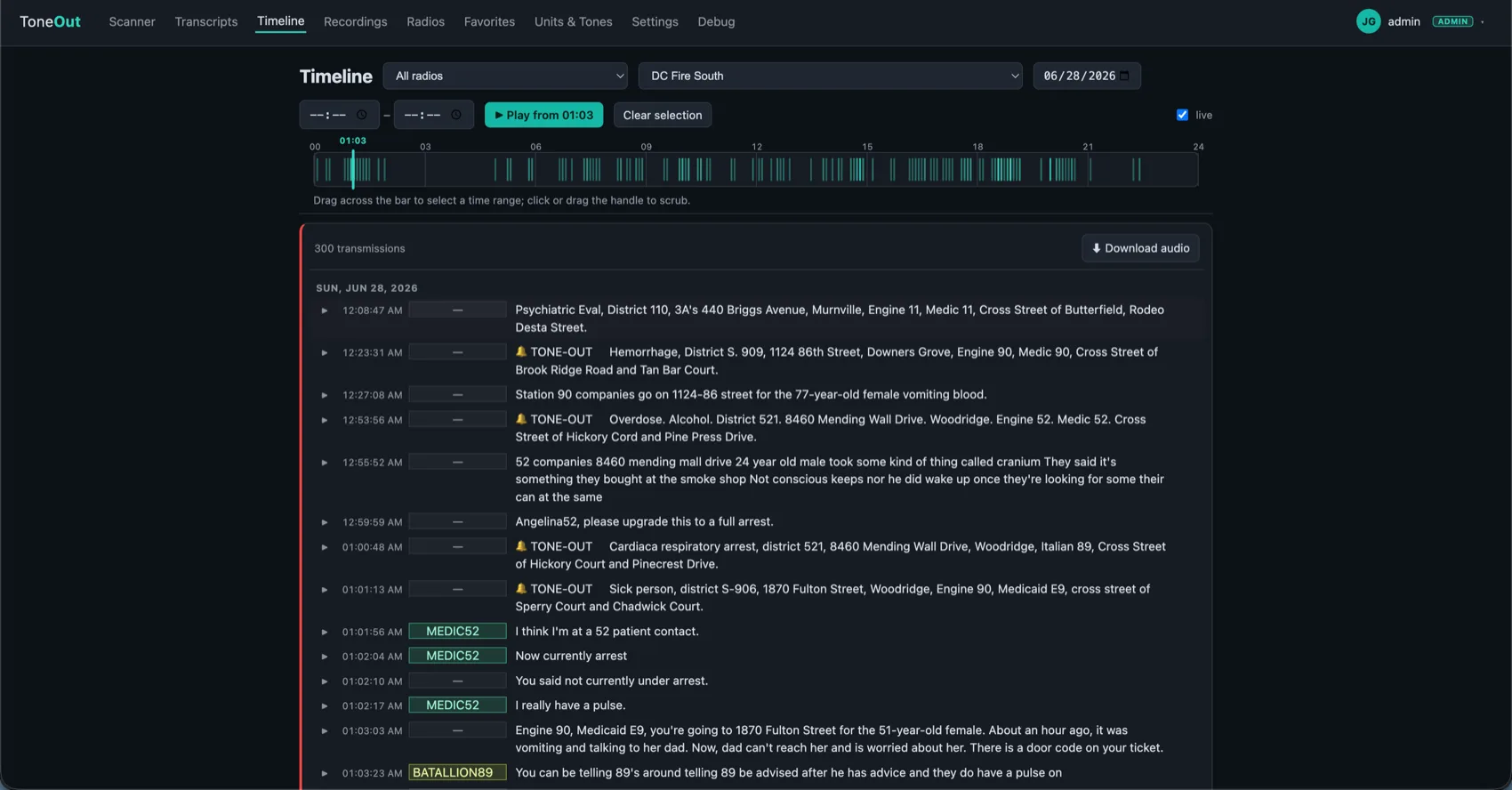
Find a transmission by time or by content, then play the rest of the conversation around it — ToneOut automatically groups transmissions into conversations so you hear the full exchange, not a single clip.
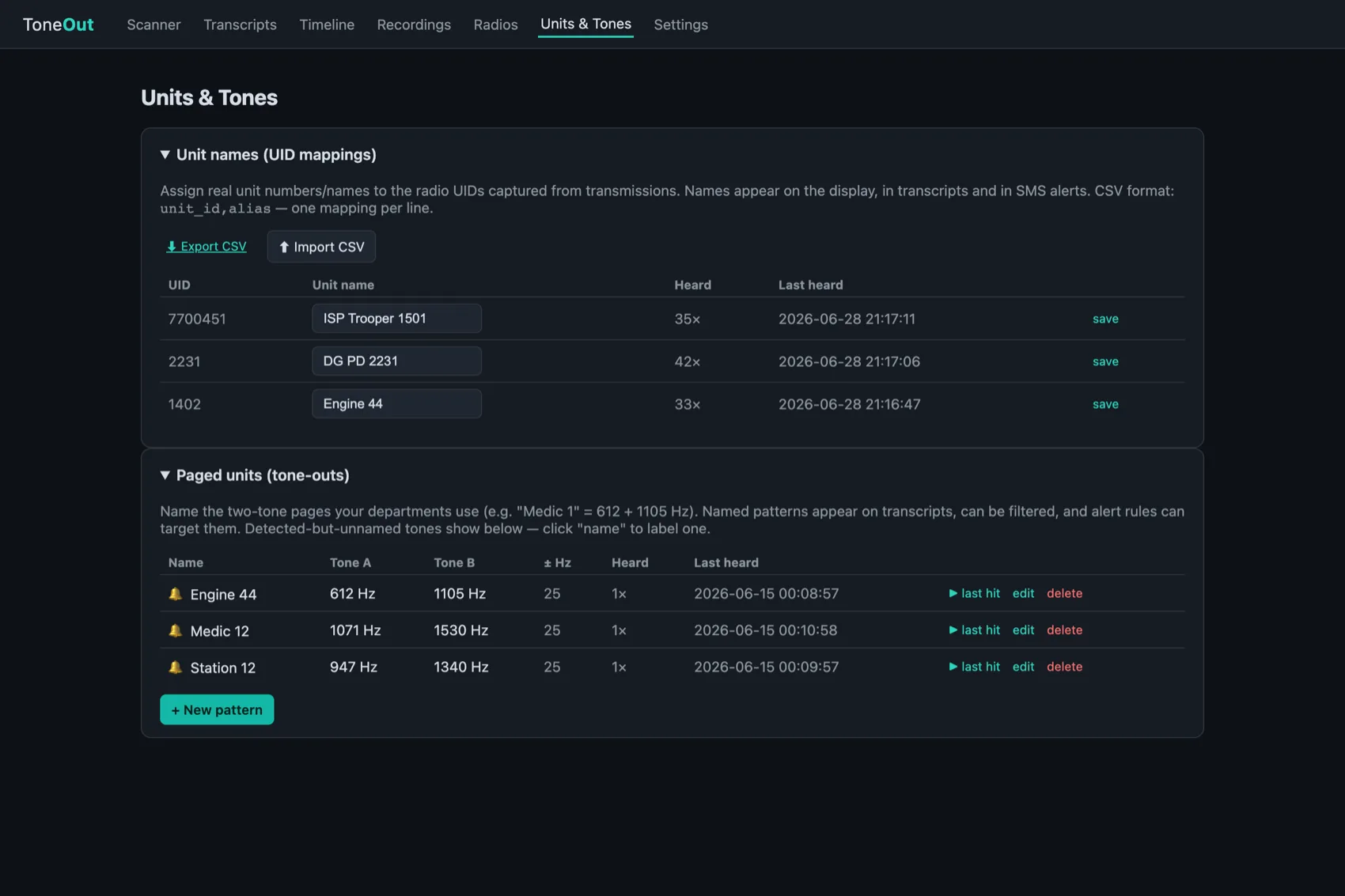
Assign — or bulk-import — names for the radio unit IDs you hear, and ToneOut attaches them to every transmission that radio makes. Names stick across past and future traffic, and show up automatically in the iOS app too. Search and listen to traffic from just a specific unit.
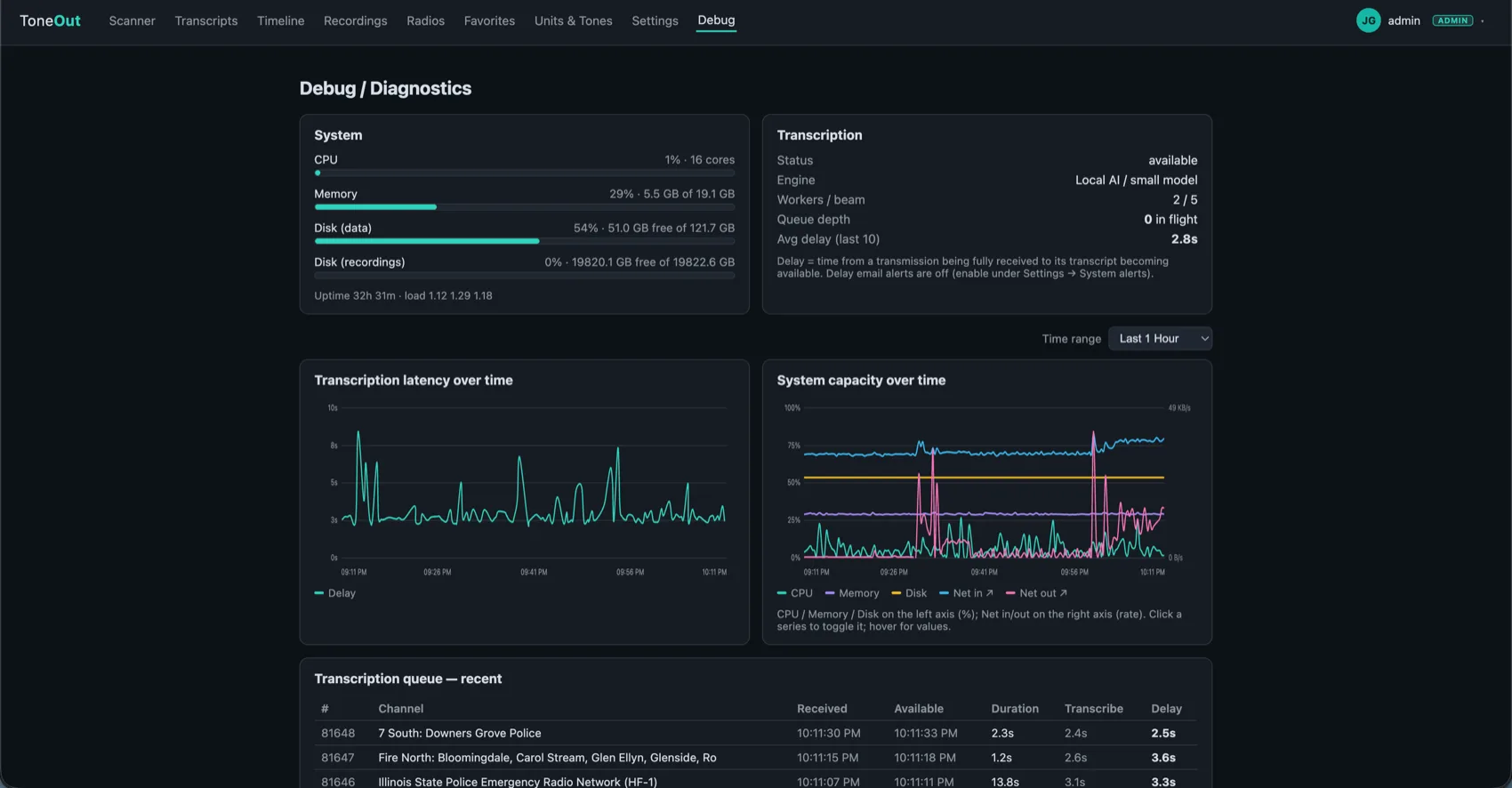
A live status page shows your server at a glance — CPU, memory, disk and on-device transcription performance. It can even alert you if transcription starts to fall behind, so you find out before you miss anything.
A planned update will let you point ToneOut at your own private Ollama AI server. It then uses that intelligence to group related conversations even when they jump across different channels — following an incident from dispatch to the responding units — all without your audio ever leaving your network.
Multi-scanner
Run one scanner or a whole rack from the same server. However you listen, ToneOut keeps recording, transcribing and alerting on every radio at once — all of it aggregated into a single dashboard. Never miss a transmission on another channel.
Give a single scanner your full attention — faceplate, live audio and streaming transcripts front and center.
Listen to two radios at once and mark one as priority, so your primary channel always cuts through when both key up.
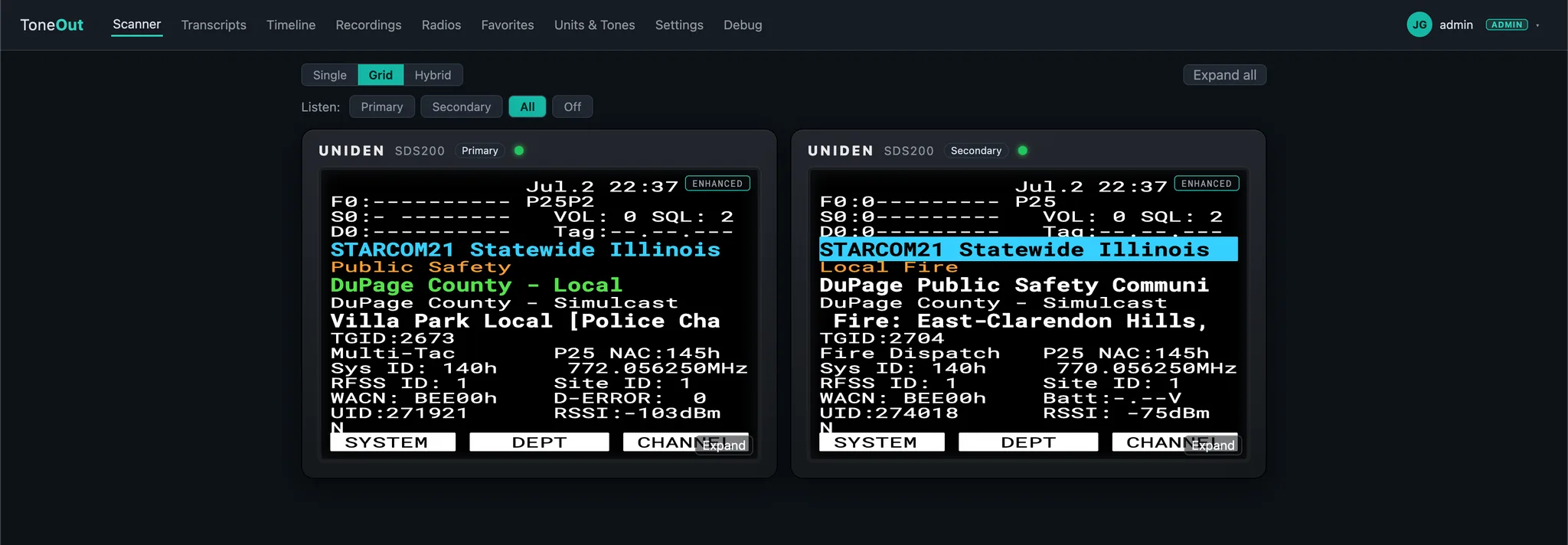
Stream every connected scanner simultaneously in grid view — each with its own live display, audio and activity.
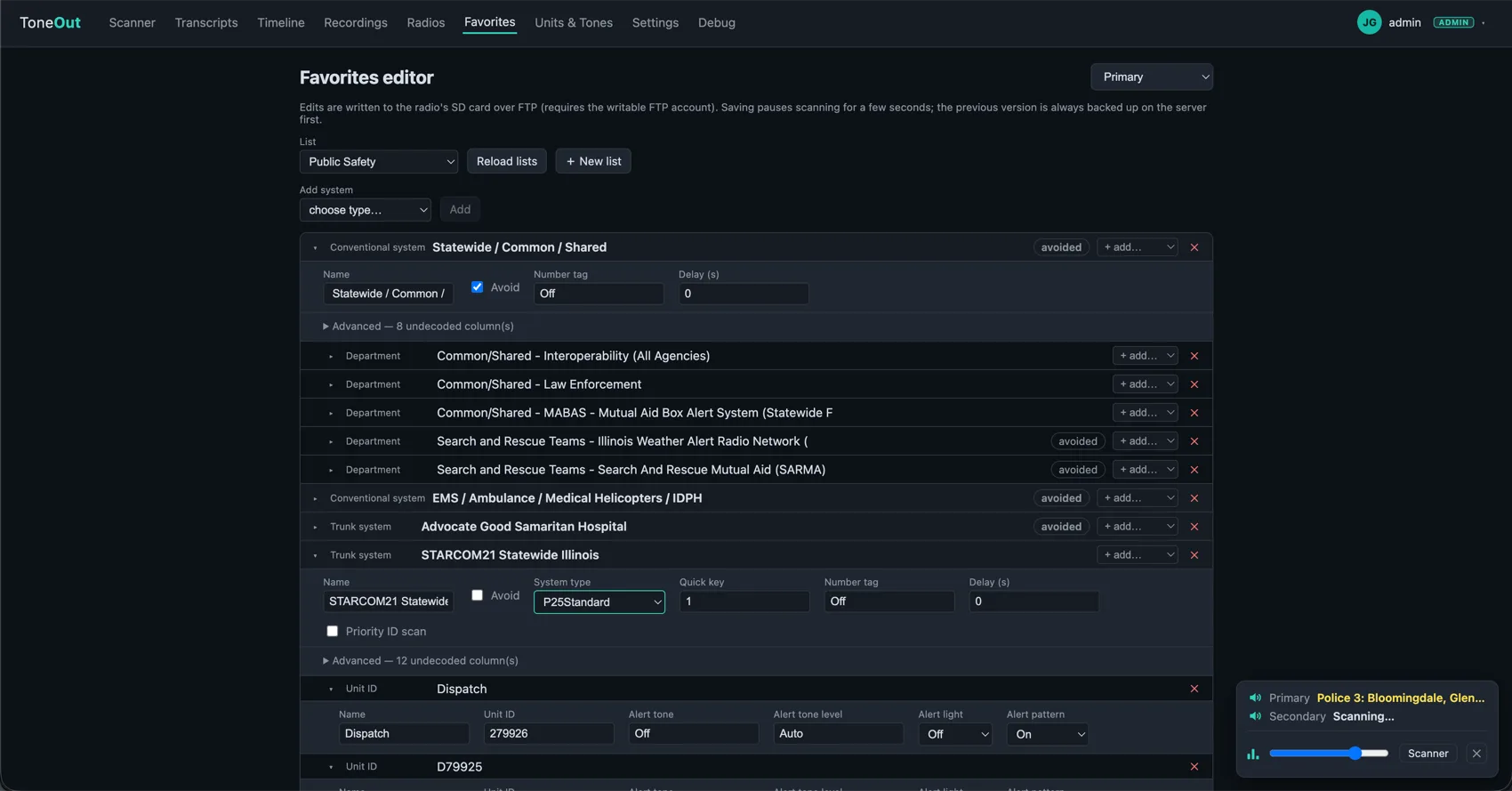
View and edit the favorites lists on all of your connected radios right from the browser — no button-pushing at the shelf. Changes go straight to the scanner, and your favorites are one tap away in the iPhone app too.
Capabilities
From the antenna to your phone: control, listen, transcribe, search and alert — on the content of the call, not just the channel. Full control of your scanner, from anywhere.
Be notified the instant a keyword, street name or unit is spoken on any channel — real alerting on the content of a call, a first for scanner monitoring.
Still catches your departments’ two-tone fire pages and matches them to named patterns like “Engine 44”, so a station alert never slips by.
Every transmission is transcribed by AI running entirely on your own server. Nothing is ever sent to the cloud — your traffic stays yours.
The browser mirrors the radio — display, signal bars, hold flags — with a clickable keypad and rotary knob that send real key presses to the scanner.
Configure the favorites lists your scanner scans — systems, departments, channels and avoids — right from the browser. No programming cable needed.
Stream the scanner’s live audio to any browser or your iPhone — with lock-screen controls and AirPlay to speakers or your TV.
Every transmission is auto-recorded and indexed. Search by content, channel, unit, date, time or tone — and play the matching clip in one click.
Apple Push notifications on keywords, tones or channel activity — with per-rule recipients, cooldowns, active-hours windows and rate limits.
Listen to one radio, dual with priority, or many at once — traffic and alerts from every channel aggregate into a single dashboard.
How it works
Put a Uniden SDS200 on your network and point ToneOut at it — no extra hardware. It mirrors the display and pulls the live audio automatically.
Install it on any always-on machine on your network — a native installer for macOS or Windows, or a container on a NAS or Linux box. Your license key activates it; recordings and settings stay on your disk.
Open the web faceplate or the iOS app to listen live, control the radio, and search a fully transcribed archive of everything heard.
Define rules on a spoken keyword, a tone or a channel. When one fires, ToneOut sends a push notification — with the audio clip and transcript attached.
Companion app
Your scanner in your pocket: listen to live audio, jump to favorites, read and search transcripts, and scrub back through everything that aired today — on the truck, at the station, or off duty.
Share a transmission as a video clip straight to Messages, or AirPlay the live scanner display and transcripts to your TV — perfect for the watch desk.
Available on the App Store for a small one-time fee — connects to your own ToneOut server and requires an active subscription.
Pricing
Self-hosted on a server you run. Every plan starts with a 7-day free trial — you pay nothing today, and billing only begins once the trial ends. Cancel anytime.
Listen, control and record a single scanner.
Free for 7 days, then billed annually
Additional radios
$25/yr each
Adds transcription and the alerts that matter.
Free for 7 days, then billed annually
Additional radios
$25/yr each
Required for use in a commercial setting.
Free for 7 days, then billed annually
Additional users
$20/yr each
Multiple stations, mutual-aid sharing or fleet-wide deployment? We’ll tailor licensing, onboarding and support to your agency.
Pricing tailored to your agency
Prices in USD, billed annually after your 7-day free trial. Secure checkout by Stripe. Questions? support@tone-out.app
Departments & Agencies
Tell us about your agency and how you’d use ToneOut. We’ll get back to you with licensing tailored to your stations, users and deployment.
Prefer email? support@tone-out.app
A Uniden SDS200 (Ethernet) connected to your network, plus any always-on machine to run the ToneOut server — a mini PC, an old desktop or a NAS running a container all work. Support for USB-connected scanners (BCD536HP / BCD996P2) is coming soon.
On your server, full stop. ToneOut is self-hosted — recordings, transcripts and settings stay on your own disk, and transcription runs on-device with local AI. Your audio is never sent to the cloud.
Because your radio lives on your own network. The server has to sit alongside the receiver pulling in the traffic, so each ToneOut instance is tied to the physical location where its scanner is — there’s no shared cloud receiving the signal for you.
The subscription keeps the service running and improving. It covers the infrastructure behind features like Apple Push notifications, and funds ongoing development — so new capabilities and refinements keep landing for you over time rather than the app standing still.
Your subscription issues a license key that activates your server. The server checks in periodically and caches the result, with an offline grace window, so a brief network blip never takes your scanner offline. One license covers one server.
Renewal extends your license automatically. If a subscription is cancelled or payment fails, the license stops renewing and eventually deactivates after the grace window — your recordings and data remain on your disk regardless.
No — the full experience runs in any modern browser. The iOS app is a companion for listening, control, transcript search and timeline scrubbing on the go, available on the App Store for a small one-time fee.
Yes — ToneOut has been tested and optimized for Tesla’s browser, so you can listen on the road with no app needed. CarPlay support for the iOS app is coming soon, and other in-dash browsers vary by installed equipment.
Scanner laws vary by country, state and locality. ToneOut is a tool for receiving and organizing signals you are already permitted to monitor — you are responsible for complying with the laws that apply to you.
Activate a server in minutes and stop missing the calls that matter.
Plans from $35/yr · no charge during your trial